This article examines the public mirror’s March 31, 2026 source snapshot. The mirror is not an official Anthropic source release. Implementation claims concern this fixed snapshot, not necessarily the current product release; official documentation establishes product or API contracts.
A coding agent reads files, edits files, runs commands, and talks to external tools. Those actions do not carry the same risk. Claude Code therefore evaluates permissions inside the tool runtime instead of treating confirmation as a UI-only feature.
Reading goal: follow one tool request from its configured rules to an allow, deny, or ask result. The useful questions are which checks run first, what each mode changes, and how a refusal reaches the next model turn.
type PermissionDecision = "allow" | "deny" | "ask"

tool_use
  -> PreToolUse hook
  -> resolveHookPermissionDecision(...)
  -> rule-checked hook result OR canUseTool(...)
  -> allow | deny | ask
-> execute tool | return denial result | suspend for user choice1. Permission context holds the current rules and state
ToolPermissionContext supplies the inputs used for each decision: the current mode, allow/deny/ask rules, additional working directories, prompt availability, and feature state. No single field determines the result. A mode can change the default behavior, but configured rules and checks performed by the tool still apply.
ToolPermissionContext (selected fields)
mode: default / plan / acceptEdits / bypassPermissions / dontAsk
alwaysAllowRules / alwaysDenyRules / alwaysAskRules
additionalWorkingDirectories
shouldAvoidPermissionPrompts
isBypassPermissionsModeAvailable / isAutoModeAvailableauto is additionally feature-gated in this snapshot. Mode alone does not determine whether a call executes.
1.1 One-time approval and saved approval are different
A permission response may allow only the current request, or it may include an update that adds a rule. applyPermissionUpdate() can change the in-memory mode, rules, and working directories; updates targeted at user, project, or local settings can also be persisted. “Allow once” therefore continues one call, while “always allow” changes how later matching calls are evaluated.
2. Checks run in a deliberate order
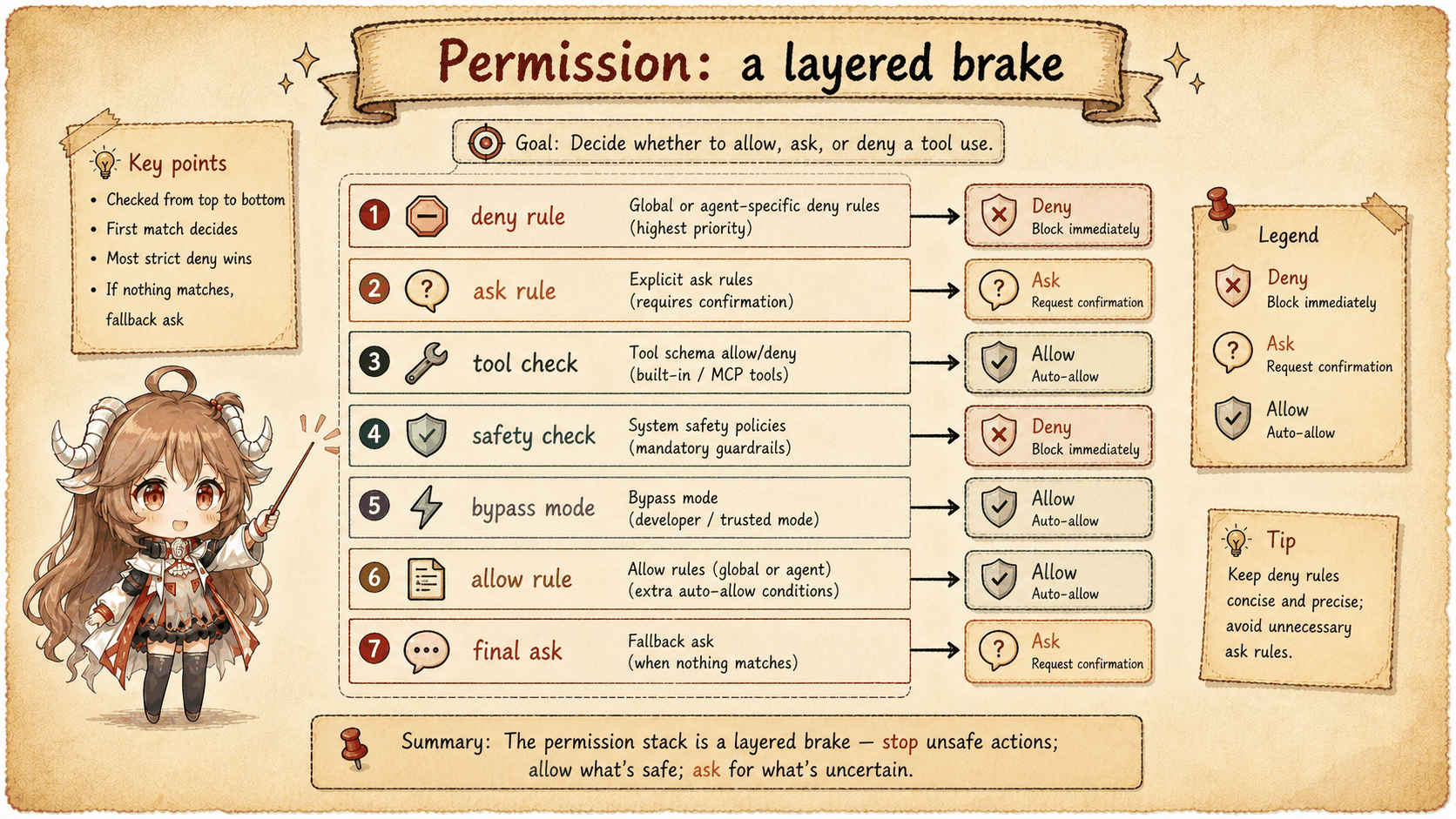
hasPermissionsToUseToolInner() checks reasons to stop before reasons to proceed. It evaluates configured deny and ask rules, then calls the tool's own checkPermissions(). Content-specific prompts and safety checks are considered before bypass mode or an allow rule. A remaining passthrough result becomes ask.
This ordering explains a common surprise: bypassPermissions means “do not ask by default,” not “ignore every safety check.” A deny rule, a tool-level denial, required user interaction, or a protected-path check can still stop the request.
There is a specific exception to a whole-tool ask rule: Bash may proceed to its own checks when sandboxing and sandbox auto-allow are enabled and the input will actually use that sandbox. Excluded commands and dangerouslyDisableSandbox do not qualify. A tool-level deny still wins. Tool-required interaction, content-specific ask rules, and an ask result marked safetyCheck are preserved before bypass is considered.
The protected-path check covers examples such as .git/, .claude/, .vscode/, and shell configuration. Its result is ask, not automatic deny; the outer mode handler then determines how an ask can be resolved. Bypass handling also recognizes plan mode entered from an available bypass mode. If no bypass or whole-tool allow applies, a tool’s remaining allow/ask result is retained and only passthrough becomes ask.
3. Modes transform an ask result
The outer hasPermissionsToUseTool() function decides what to do after the initial result is ask. In dontAsk mode, ask becomes deny because no interactive confirmation is permitted. Auto mode first excludes requests that cannot be approved automatically, then tries low-cost checks and an allowlist before using classifyYoloAction(). The classifier can approve, reject, or fail closed; auto mode is automated decision-making, not automatic approval.
A background or headless agent cannot display a prompt. When shouldAvoidPermissionPrompts is true, Claude Code gives PermissionRequest hooks a chance to return allow or deny. If no hook decides, the request is denied instead of waiting forever for a dialog nobody can answer.
Auto mode excludes safety checks and tools requiring user interaction; PowerShell also requires explicit approval unless its corresponding feature is enabled. It then tries an acceptEdits fast path and a safe-tool allowlist before the classifier. Blocked actions, classifier unavailability, and an oversized transcript have different fallback or fail-closed handling. These are visible client branches, not evidence of the classifier’s internal policy.
4. Hooks can decide before execution
PreToolUse hooks run before the main permission check, and PermissionRequest hooks can answer a pending ask. These hooks are concrete decision points: an allow result continues the current request, while a deny result prevents the tool from changing local or remote state.
resolveHookPermissionDecision() gives PreToolUse allow a rule-and-tool fast path while preserving settings deny/ask. If user interaction remains unsatisfied or requireCanUseTool is set, it invokes the full permission callback. Supplying updatedInput can satisfy an interactive tool’s input requirement. A hook deny stops directly; no decision or hook ask enters normal handling. These alternatives must not be drawn as one mandatory stack.
This checkRuleBasedPermissions() helper still parses the input and runs tool.checkPermissions(), preserving tool denials, content-specific ask rules, and safetyCheck asks. It skips the full mode and default-allow flow; its checks extend beyond settings rules.
5. Interactive confirmation has several possible responders
On the interactive path, the visible ToolUseConfirm is only one possible source of a decision. A user choice, permission hook, Bash classifier, bridge callback, or channel callback may answer first. createResolveOnce() lets one responder claim and resolve the request before asynchronous work begins, preventing duplicate settings updates, queue cleanup, and conflicting decision logs. A JavaScript Promise already settles once; repeated resolve calls alone do not prove duplicate tool execution.
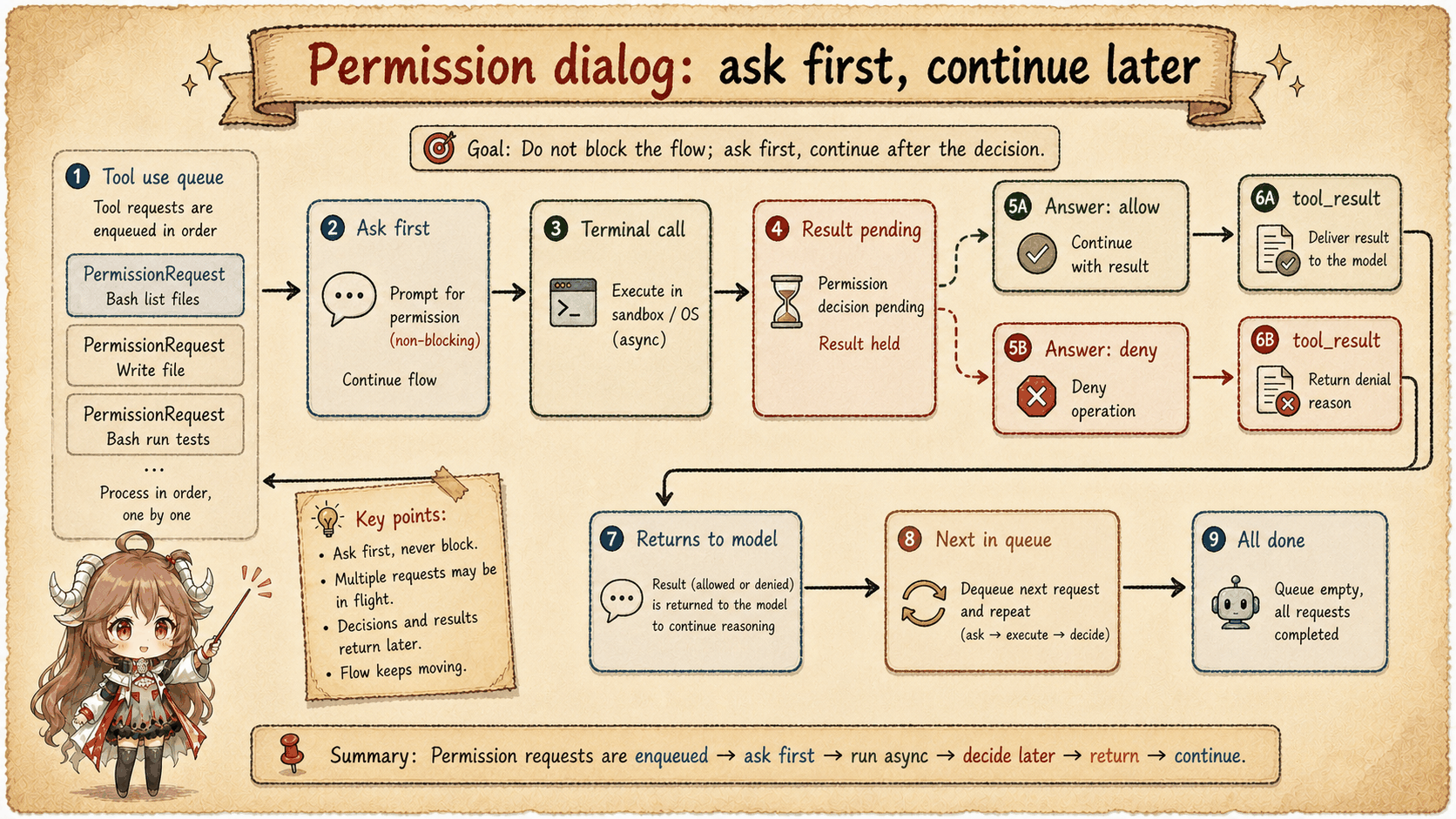
Coordinator and swarm workers adapt the same ask state to their environment. A coordinator waits for a hook and classifier before falling back to its interactive path. A swarm worker tries its classifier and can forward the request to the leader through its mailbox. Ask therefore means “a decision is still required,” not necessarily “show a dialog in this terminal.”
Interactive responders are conditional. PermissionRequest hooks are launched asynchronously outside the coordinator-worker case; a pending Bash classifier runs only for an applicable Bash request. Hook or classifier decisions can complete before the user while the request is still available. The atomic claim is taken before awaiting decision-side work.
6. Denial still returns a tool result
When the final decision is not allow, Claude Code does not execute the tool. It returns an error-shaped tool_result with the original toolUseID and an explanation. The next model turn can see that the action did not happen and choose a safer alternative instead of waiting for a missing response.
After an auto-mode classifier denial, a PermissionDenied hook may also return a retry hint. That hint can influence the next attempt, but it does not retroactively approve the blocked action.
{
  "role": "user",
  "content": [{
    "type": "tool_result",
    "tool_use_id": "A",
    "content": "Permission denied",
    "is_error": true
  }]
}7. The rule to keep in mind
Permission is the brake between a model proposal and an observable side effect. The runtime first checks explicit restrictions and tool-specific risks, then considers configured shortcuts, and finally asks an eligible responder when no earlier rule settles the request. Each outcome is visible: the tool runs, the request is refused, or execution pauses for a decision.
Sources
The source-code claims in this article are based on the public mirror and the linked official documentation. Server-side behavior and private feature policy are described only where the client exposes an observable request or result.